G6flash Disk Manager - Installation G6flash Disk Manager - Installation
2. Installation of G6 U-DISK Manage (PC application):
I. G6 U-DISK (G6 FLASH CARD)
It is possible to use G6 FLASHCARD without installing any application program. Users just need to copy the proper games into any directory of G6 Flash Card and those games will work on the GBA/SP & NDS consoles. However, if adding games through “G6 U-DISK MANAGER” application you will gain access to more advanced features like Quick Save, Multiple Save Games, Preview images for GBA roms, Rom compression to save space on the flash card and more. Remember that to use PDA and Emulator game function, PDA & EMU directories have to existing in the root directory of G6 U-DISK. Do not worry if they are accidentally deleted - simply copy these directories from installation disk to G6 if these directories are missing.
II. PC
To install “G6 U-Disk Manager“, please double click the icon (or file) of “G6 U-Disk Manager“ from the installation disk
Then Click "Next >",

Select the path which you wish to install, then click "Next >",

Click "Instal"
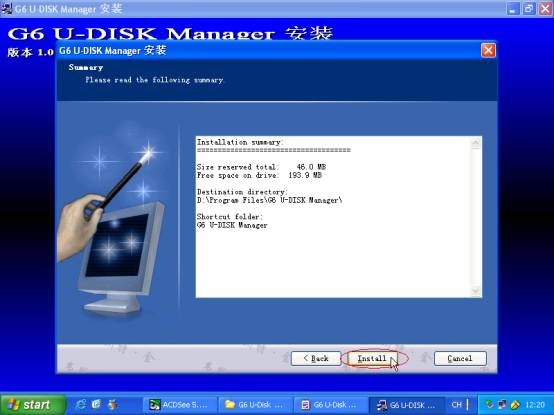
Processing…

Click "Finish", program has been installed successfully.

New Nintendo DS Flash Linkers and NDS ROM backup tools:
EFA Linker II : NDS Neo Flash : EZ4 : Magic Key2 MK2 : M3 Adapter CF SD : SuperCard DS
|